HiLook PTZ-N2D400M-DE-14 TandemVu Review – Is It Worth It? | JMC Secure Blog
A hands-on review from a CCTV reseller who tested one on their own warehouse
At just over £100 the HiLook PTZ-N2D400M-DE-14 is one of those cameras that genuinely makes you stop and think – how has Hikvision managed to pack this much into a camera at this price point? Before stocking them, we fitted one on our own warehouse to put it through its paces. Here’s our honest take.
What exactly is TandemVu?
The headline feature here is the dual-lens “TandemVu” design. You essentially get two cameras in one housing: a fixed wide-angle lens (2.8mm, 94° field of view) and a motorised pan/tilt lens (8mm, 44° field of view). Both run at 4MP simultaneously, so you’re not sacrificing one view to get the other.
The pan/tilt lens is noticeably more zoomed in than the fixed lens – roughly three times the reach – which means you get your wide contextual view and the ability to home in on detail at the same time. That combination is genuinely impressive and usually only appears on much more expensive Hikvision kit.
Installation flexibility
Here’s a real-world benefit that might not be immediately obvious from the spec sheet: the top half of the camera body – the section holding the fixed lens – can be physically rotated slightly during installation. This matters more than you’d think.
When we were testing the camera on our warehouse, it became clear just how useful this is. If a customer is mounting two cameras on the front of a house, one in each corner, they can angle both fixed lenses inward so they overlap neatly in the middle of the driveway or garden. Meanwhile, each pan/tilt lens is free to point wherever it’s needed. It’s a thoughtful bit of engineering that gives installers real flexibility in how they cover a site.
Image quality and night vision
The Smart Hybrid Light is excellent. The camera switches intelligently between infrared and white light depending on the situation, giving full colour footage in complete darkness out to around 30 metres. In practice, the image quality is very good – sharp, detailed, and well exposed even in tricky low-light conditions.
Audio
Two-way audio is built in – microphone and speaker both on board. Being able to speak directly to someone on-site through the camera is a feature that tends to cost extra on most cameras. Having it here at this price is another genuine win.
Auto-Tracking Lite – honest assessment
Now for the less rosy part. The Auto-Tracking Lite feature is where things get a bit inconsistent. When it works, it’s impressive – watching the camera lock onto a person and follow them around is genuinely satisfying, and smart tracking like this is normally reserved for cameras costing significantly more. The problem is when it works. During our testing, people and vehicles moved through the camera’s view without it reacting at all on a number of occasions. At one point the app wouldn’t even allow the feature to be enabled. For now it’s best treated as a bonus rather than a core feature.
To be fair to Hikvision, this is clearly labelled “Lite” for a reason, and firmware updates should improve it over time. But if auto-tracking is your primary requirement, temper expectations for now.
A firmware note
One early issue worth flagging: out of the box, the pan/tilt lens would randomly reset to a bizarre default position – pointing almost directly backwards. Not ideal. We raised it with Hikvision, they provided updated firmware, and after flashing it the problem didn’t recur. If you’re setting one of these up, make sure you’re running the latest firmware from the start.
One camera, two channels on your NVR
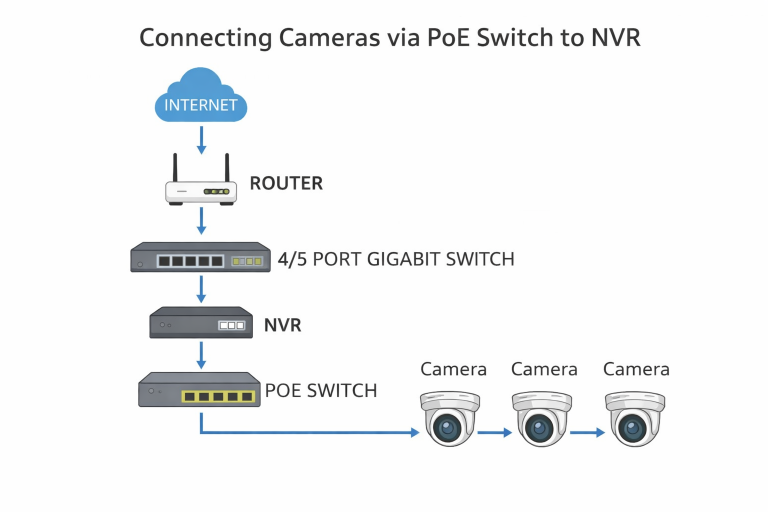
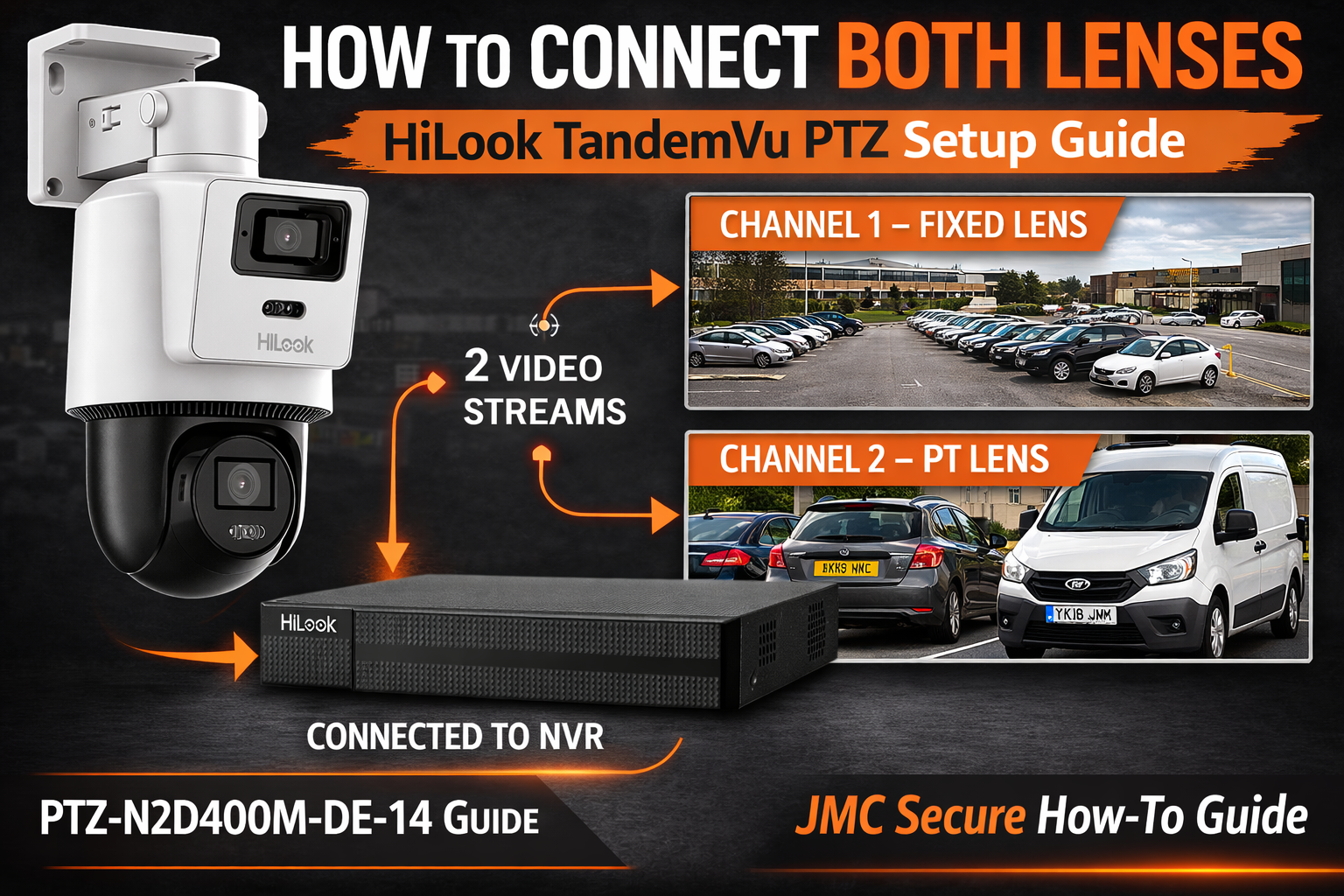
Because the PTZ-N2D400M-DE-14 has two independent lenses and streams, it actually occupies two channels on your NVR – one for the fixed wide-angle view and one for the pan/tilt lens. This catches a lot of people out.
If you connect it to a Hikvision NVR in the usual plug and play mode, only one channel will auto-detect and come up automatically. The second stream needs to be added manually by entering the camera’s IP address into a spare channel on the NVR. It’s not complicated once you know what you’re doing, but if you’re not expecting it, it can feel like something has gone wrong.
We’ve recorded a short video walking you through exactly how to add the second stream on your NVR – watch it below:
Verdict
Despite the auto-tracking caveats, this camera represents exceptional value for money. The dual 4MP lens setup alone justifies the asking price – add in Smart Hybrid Light, two-way audio, PoE power, IP66 weatherproofing, and 300 preset positions, and you’ve got a very capable camera for around £100. The firmware issue is resolved, and the auto-tracking will hopefully improve with future updates. Recommended.